Guide
Room visualizer with your own photo: how to pick one and test it in five minutes
A good room visualizer keeps your room as it is: windows, doors and radiators stay put, the scale holds, the light comes from your window, and you know what you can actually buy. To check, take one sharp photo of your room, run a single request and go through those five points in five minutes. Before paying, also check the watermark and how many renders the free tier really gives you.

What a visualizer actually does with your photo
"Room visualizer" covers tools that have very little in common. The table sorts them by what they do with the photo you upload. Examples are taken from each tool's own page, checked on November 10, 2026.
| Type | Example | What changes in your photo | What you can buy afterwards |
|---|---|---|---|
| Retailer flooring visualizer | Roomvo, used by stores such as Menards | The floor, with a product from that store's range | The product you tested, from the store that hosts the tool |
| AI room redesign | GenRoom, Pixelcut, Fotor | The whole room, restyled | Nothing by default: the furniture is generated, so it may not exist in any store |
| 3D floor planner | Planner 5D | Your photo isn't used: you draw the walls to size, then place doors and windows | Items from a 3D library |
If your search was "room visualizer upload photo", you want one of the first two rows. To pick a floor, the first row is enough, and it shows a product that exists. To see the whole room change, you need the second. That is where testing matters: an AI tool redraws the entire picture, which means it can also move things that never move in your home.
Take a photo designed to catch mistakes
The test only works if every tool gets the same photo. Take it once and upload that same file everywhere.
- Daylight, room well lit, no window glare behind you.
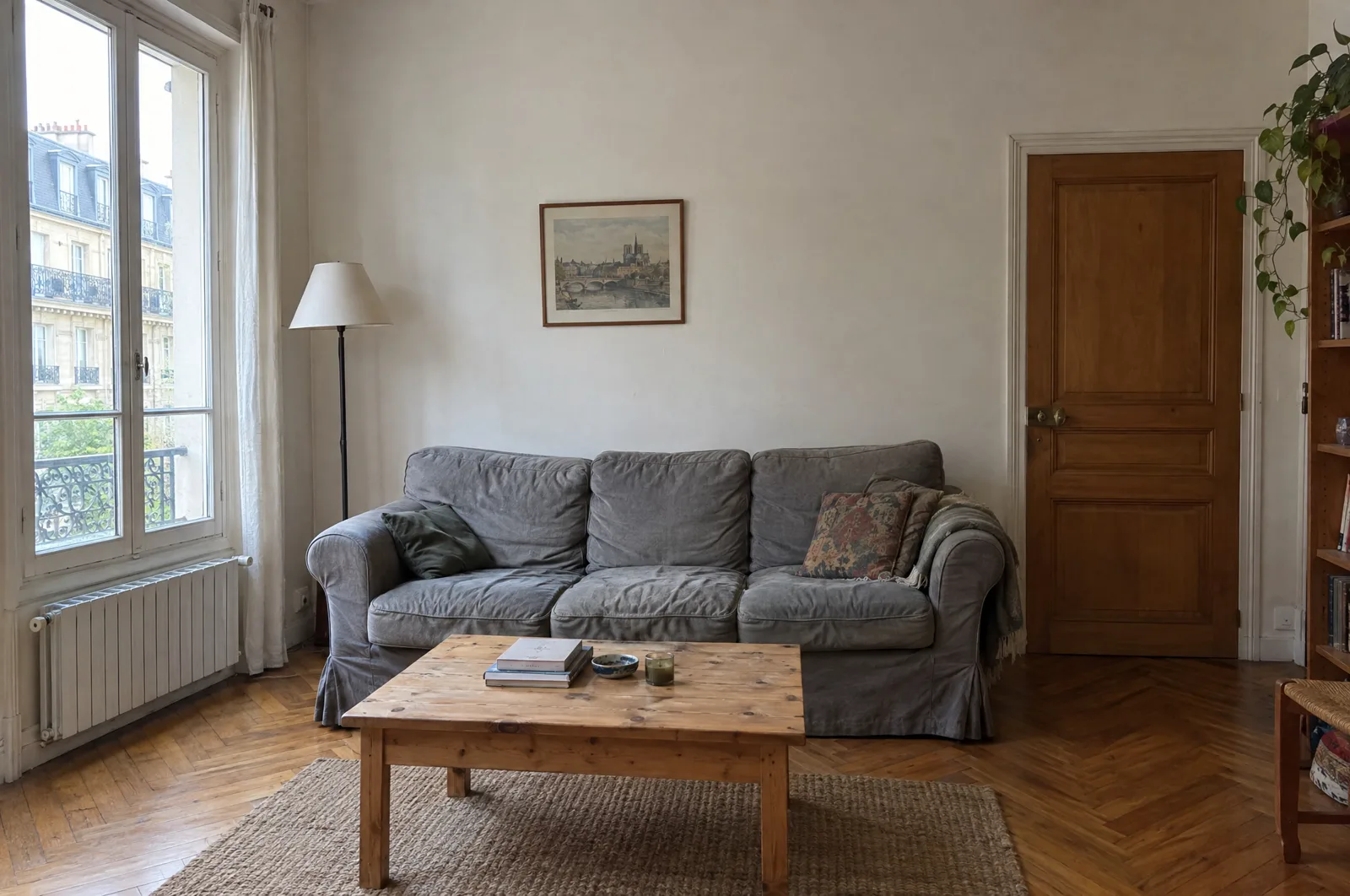
- Phone upright at chest height, facing the main wall. GenRoom also recommends shooting standing, at eye level, with your existing furniture in view.
- Floor to ceiling, wall to wall. Whatever the tool can't see, it invents. The 0.5x lens on your phone helps in a small room.
- Clear the obvious piles, without emptying the room.
Above all, frame the things AI tools struggle to keep on purpose: a window, a door, a radiator or baseboard heater, an outlet, and a piece of furniture you plan to keep. These are your control points. If one of them disappears in the result, you will spot it right away.
The five-minute test
Run one request, identical in every tool: a style you genuinely like. Our interior design style quiz helps you name it if you're unsure. Then check the result in this order, one minute per point.
- Minute 1: is it still your room? Count the windows and doors, then find the radiator. Check that each one sits in the same place at the same size. A window that slides to the middle of the wall or a heater that vanishes gives you a pretty picture of someone else's home. GenRoom's page promises "same windows, same proportions": this is the minute where you hold it to that.
- Minute 2: scale. Use the door as a yardstick. Does the back of the sofa sit at a sensible height next to the door handle? Is the coffee table clearly shorter than the sofa? A piece that looks oversized on screen will be oversized in your living room.
- Minute 3: light. It should come from your window, with shadows falling the right way. If the tool offers an evening setting, try it: a room that works at noon can turn gloomy under one lamp.
- Minute 4: what you can buy. Tap a piece of furniture in the result. If nothing happens, you have a mood image, which is useful as long as you treat it as one. To track down a piece you saw in a render anyway, our guide on how to find furniture from a photo covers it.
- Minute 5: what you can take away. Download the result and look for a watermark. Then read two lines of what the tool does with your photos. On GenRoom, free results carry a small watermark that paid packs remove; Pixelcut's free plan advertises exports without a watermark.
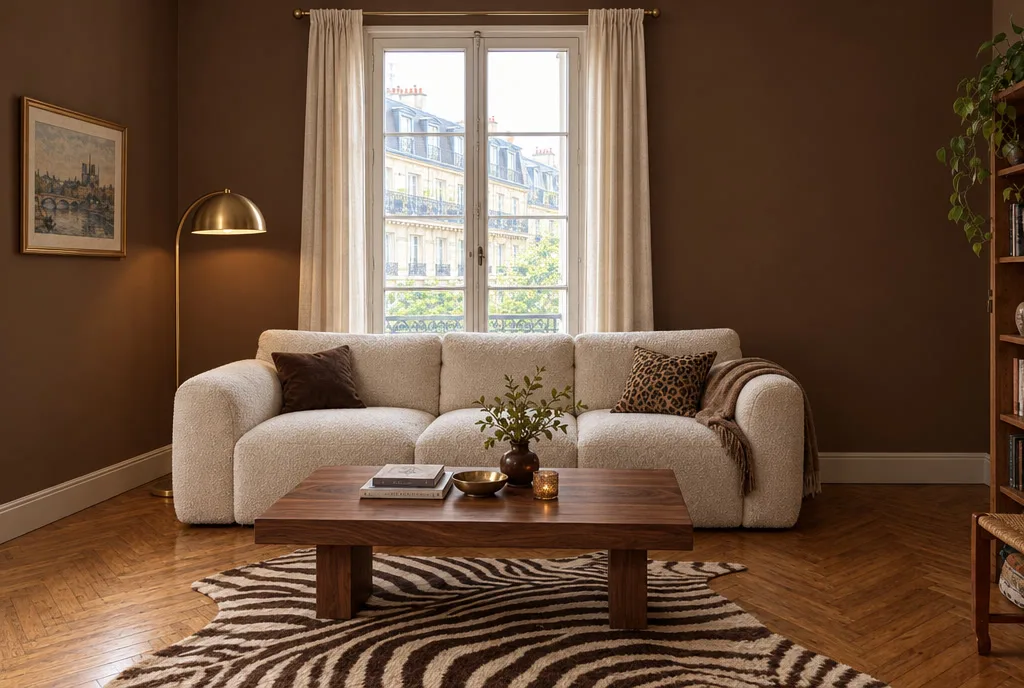
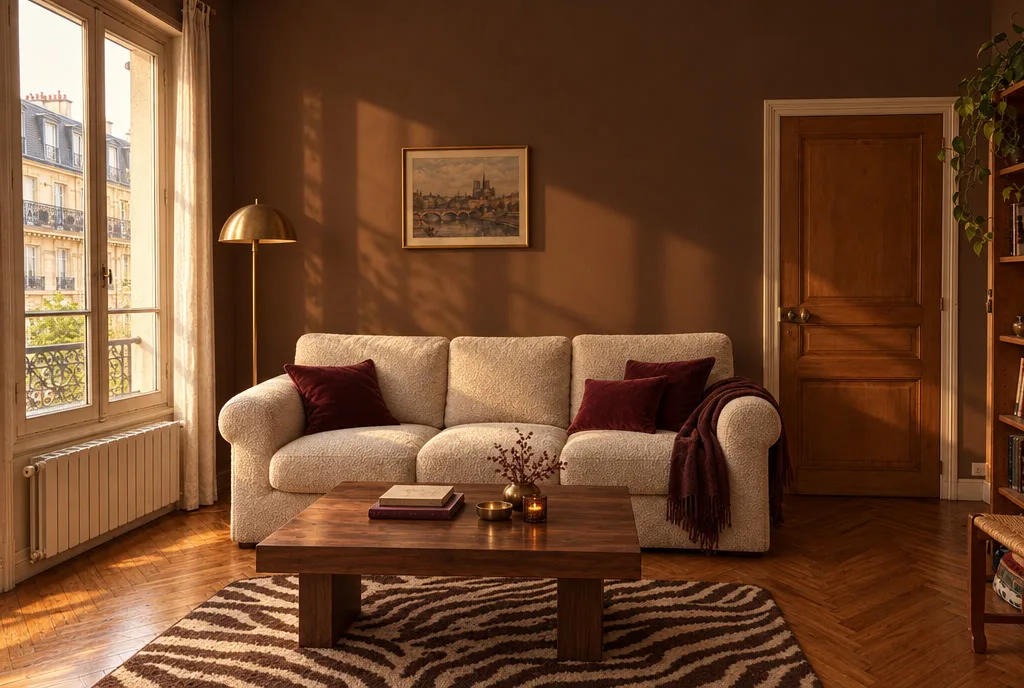
One more move if you have time: run the exact same request again. Two results that disagree about where the window is tell you the tool is guessing your room rather than reading it.
Free, credits or subscription: the real cost of a test
Google suggests "room visualizer upload photo free" right after the plain search, and tool pages lean on the word. Here is what they actually say, checked on November 10, 2026:
- GenRoom: 6 credits when you sign up, no card required, according to its room generator page.
- Pixelcut: a Free plan at $0, and a Pro plan at $10 a month, or $8 a month billed yearly, with 600 AI credits a month.
- Fotor: its interior design page invites you to "Start Free"; the page doesn't state how far the free tier goes.
To compare fairly, price the whole test. You need at least two renders of the same photo (your request, then the same one again), plus one or two adjustments such as lighting or flooring. A free render with a watermark is fine for deciding; it's less useful when you want to show the plan to a partner or a contractor.
How Spaace It handles the five points
Spaace It is an iPhone and Android app in the second family, with a path to buying. Here is what it does on each point, based on its code and its website.
- The photo: shoot the room or pick it from your camera roll, then tell the app which room it is. It shows the same photo tips as above.
- The style: a list of styles, your own moodboard, or an image saved from Pinterest.
- Light: six moods (soft morning, golden hour, bright daylight, warm evening, dimmed, cosy night), so minute 3 doesn't rely on guesswork.
- Surfaces: floor, walls and ceiling can be changed separately.
- Before and after: keep your finger on the render to see your original photo, handy for minute 1.
- Buying: tap a piece of furniture in the render and the app looks for where to buy it. When it finds nothing, it says so ("No offer found for this piece"). Pieces you save build a shopping list with a total.
The app is free to download from the download page. The subscription costs $19.99 a month or $39.99 a year (pricing). Put it through the same test as the others, with the same photo: that's the only comparison worth making. To go from a render all the way to a budget, see our guide on how to use AI to decorate a room, or the page on AI interior design with a shopping list.
What no visualizer replaces
A render measures nothing. Before you buy, measure the wall, the window, the walkway and the doors the furniture has to pass through, and compare them with the dimensions on the product page. For a paint color or a floor, order a sample and look at it at home in the morning and again at night: a phone screen never shows the exact shade.
Frequently asked questions
Is there a free room visualizer where I can upload my own photo?
Yes, several offer a free start. GenRoom gives 6 credits at sign-up with no card, Pixelcut has a $0 Free plan, and Fotor invites you to start free (checked November 10, 2026). Free usually means a watermark, a lower resolution or a handful of renders: enough for the five-point test, less for sharing the plan.
Can an AI visualizer keep my existing furniture?
Some offer it. GenRoom describes a mode that restyles the decor and leaves your sofa, bed and layout where they are. Check it on the render, just like windows and doors: that's minute 1 of the test.
Are the colors in a render accurate?
Not accurate enough to buy from. Your phone screen and the simulated light both shift the shade. For paint or flooring, order a sample and look at it at home in the morning and at night.
Sources
- La Maison Saint-Gobain, simulateur 3D (relu le 10/11/2026)
- Fotor, décoration d'intérieur IA et FAQ (relu le 10/11/2026)
- Fotor, AI Interior Design (relu le 10/11/2026)
- YouCam (Perfect Corp), simulateur de décoration IA et FAQ (relu le 10/11/2026)
- GenRoom, générateur de pièce IA (fr, en, es, it, pt)
- GenRoom, AI room generator
- GenRoom, decor staging (fr, es, it, pt)
- GenRoom, simulateur de sol IA (crédits)
- GenRoom, visualizador de suelos IA
- GenRoom, visualizzatore pavimenti IA
- GenRoom, simulador de pisos IA
- Somake, decorador de habitaciones (10 créditos por generación)
- Somake, decoratore di stanze
- Ideal House, Room Visualizer (it)
- Pixelcut, room visualizer and pricing (checked 10/11/2026)
- Roomvo, flooring visualizer (Menards)
- Planner 5D, décorer une salle à manger
- Planner 5D, España
- Planner 5D, simulatore di pavimenti
- Planner 5D, simulador de ambientes 3D
- Spaace It, tarifs (fr, en, es, it, pt-br)
Want to see it in your home?
With Spaace It, take a photo of your room, pick a style, and see the result before you change a thing.